Key takeaways
- Compare four heated laminators with adjustable temperature control, from auto-sensing 12.5-inch office machines to a compact 9-inch home desk model.
As an Amazon Associate we earn from qualifying purchases.
A laminator with one fixed heat level forces a compromise: thin pouches seal fine, but thick pouches come out cloudy, and delicate prints risk wavy edges when the rollers run hotter than the film needs. Adjustable temperature control removes that trade-off, because the machine matches its heat to the pouch in the feed slot, either through automatic thickness sensing or through settings you select yourself before each job.
This guide serves three kinds of buyers: office teams sealing mixed batches of handouts and signage, school staff protecting classroom materials week after week, and home users who laminate occasionally but want clean results on photos and documents alike. Every model below was chosen from the names and specifications published on its Amazon product page.
Quick Picks
Disclosure: This article contains affiliate links. If you buy through these links, we may earn a commission at no extra cost to you.
| Product | Best for | Key spec |
|---|---|---|
| GBC Fusion 7000L | Busy offices running mixed pouch thicknesses back to back | Auto pouch thickness detection, 3–10 mil |
| Fellowes Jupiter 2 125 | High-volume desks that need the fastest turnaround | 47 inches per minute, 6 rollers |
| Fellowes Venus 2 125 | Shared workrooms that want set-and-forget operation | InstaHeat warm-up in 30–60 seconds |
| Scotch PRO TL906 | Home desks laminating letters, photos and recipe cards | Two temperature settings, 9-inch feed |
How to Choose
Automatic Sensing Versus Manual Settings
Some machines read the pouch as it enters and set their own heat, which suits shared desks where nobody wants to check a dial between jobs. Others give you selectable settings, usually one per pouch thickness, so you decide the heat before feeding. Pick automatic sensing when several people share one machine and pouch types change constantly. Choose selectable settings when you run the same few pouch types daily and prefer predictable, repeatable results you control yourself.
Pouch Thickness Range Decides Your Ceiling
Every laminator lists the pouch thicknesses it accepts, and that range quietly decides what you can protect. A machine capped at 5 mil handles letters, certificates and most photos comfortably. Stepping up to 10 mil support opens the door to rigid ID badges, luggage tags, menus and signs that get handled all day. Check the thickest pouch you realistically plan to run, then buy the machine whose stated range covers it with room to spare.
Warm-Up Time and Feed Speed Shape a Work Session
A one-minute warm-up matters more than it sounds when lamination happens in short bursts between other tasks, because a machine that sits heating for six minutes often gets left switched off. Feed speed matters at the other extreme: a class set of thirty posters moves far faster at 40-plus inches per minute than at 15. Match the pair to your pattern, quick single sheets or long production runs, rather than chasing the biggest number on the box.
Rollers, Jam Handling and Shut-Off Behaviour
Roller count affects how evenly heat and pressure spread across wide pouches; four to six rollers generally leave fewer bubbles on large sheets than two. Jam handling deserves equal attention, since a pouch fed at an angle can wrap around a roller. Look for auto-reverse or jam detection that ejects a misfed pouch before adhesive bakes onto the rollers. Finally, an automatic shut-off protects both the machine and your workspace when a busy afternoon leaves it running unattended.
The 4 Best Options
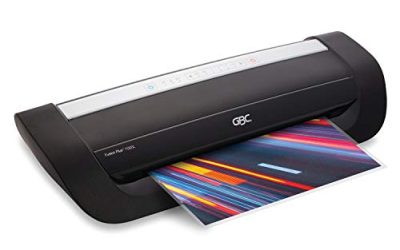
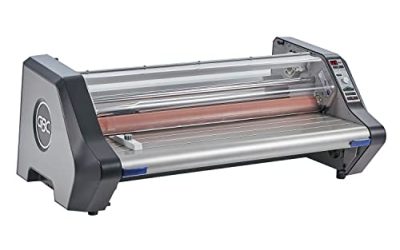
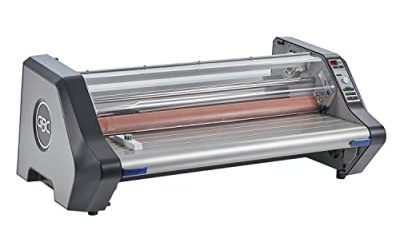
GBC Fusion 7000L

Offices that laminate all day in mixed batches will appreciate how this machine removes guesswork. Its sensors measure each pouch and document as feeding begins, then set the heat and speed without anyone touching a control. A manual override remains available when you want a specific thickness setting. Six rollers keep wide sheets flat, and jam detection reverses a misfed pouch before it becomes a cleanup job, which makes the 7000L a calm choice for a shared copy room.
Specs
- Entry width: 12 inches
- Pouch thickness: 3, 5, 7 and 10 mil
- Warm-up time: 1 minute
- Temperature control: automatic pouch thickness detection with manual select
- Rollers: 6
- Jam handling: auto jam detection with motorised reverse
- Cold lamination setting: yes
- Auto shut off: yes
- Included: 50 EZUse letter pouches
- Model number: 1703098
Best for: a front office sealing everything from thin handouts to thick signage in one session.
Watch out for: confirm the listing is the 1703098F bundle with the starter pouches if you want film included from day one.
ASIN: B074T4XV91
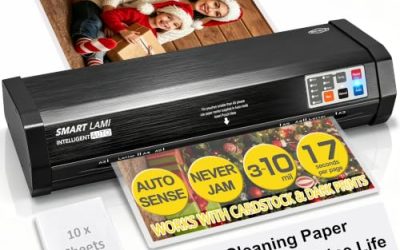
Fellowes Jupiter 2 125

Throughput is the argument here. The Jupiter 2 warms up in about a minute and then pulls pouches through at up to 47 inches per minute, so a stack of certificates or classroom sets clears quickly. AutoSense detects pouch thickness and self-adjusts to the setting the film needs, while the Advanced Pouch Tracking system watches each sheet and reverses it automatically if it starts feeding crooked. It suits the desk that laminates in volume and cannot afford babysitting every pass.
Specs
- Entry width: 12.5 inches
- Pouch thickness: up to 10 mil, hot and cold
- Warm-up time: 60 seconds with InstaHeat technology
- Temperature control: AutoSense self-adjusting system
- Laminating speed: up to 47 inches per minute
- Rollers: 6
- Jam handling: Advanced Pouch Tracking with auto reverse
- Item weight: 15 pounds
- Dimensions: 21.25 x 8.19 x 5.13 inches
- Model number: 5734101
Best for: school offices and print corners clearing large batches against a deadline.
Watch out for: leave clear space behind the machine, because its footprint plus the exit path needs a deeper desk than compact models.
ASIN: B00HXLP4YG
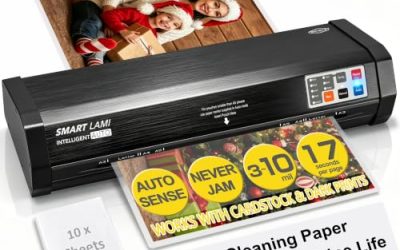
Fellowes Venus 2 125

The Venus 2 targets the same large-office work as its sibling but leans harder into convenience. InstaHeat brings it to working temperature in as little as half a minute, and the AutoSense system reads each pouch and settles on the right heat level without a settings check. Six rollers press pouches up to 10 mil thick, and cold pouches remain an option for heat-sensitive originals. For a workroom machine that different staff members use throughout the day, that combination of fast readiness and automatic adjustment keeps output consistent.
Specs
- Entry width: 12.5 inches
- Pouch thickness: up to 10 mil, hot and cold
- Warm-up time: 30–60 seconds with InstaHeat technology
- Temperature control: AutoSense self-adjusting system
- Rollers: 6
- Item weight: 15 pounds
- Dimensions: 21.25 x 8.19 x 5.13 inches
- Model number: 5734801
Best for: department workrooms where several people laminate and nobody owns the settings.
Watch out for: verify the listing shows model 5734801, since the newer Venus 125 generation sells under a different item number.
ASIN: B00HVUYKN0
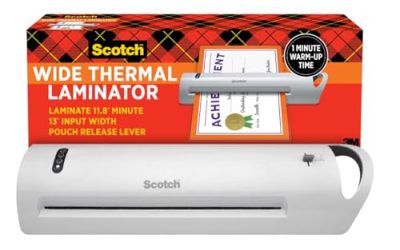
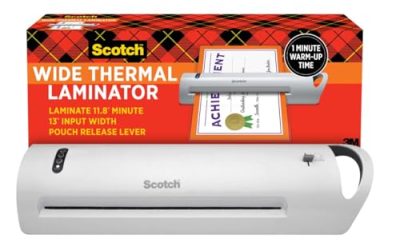
Scotch PRO TL906

Not every buyer needs a 12-inch office machine, and the TL906 covers the smaller end honestly. Two heated rollers and two temperature settings let you match heat to 3 mil or 5 mil pouches, which covers letters, photos, certificates and recipe cards. Never Jam Technology works against misfed items, and the machine shuts itself off after an hour idle. It warms up more slowly than the office models above, yet for a home desk or a single classroom corner that pace rarely matters.
Specs
- Entry width: 9 inches
- Pouch thickness: 3 mil and 5 mil
- Temperature settings: two, matched to pouch thickness
- Warm-up time: 5 to 6 minutes
- Laminating speed: 15 inches per minute
- Rollers: 2 heated rollers
- Jam handling: Never Jam Technology
- Auto shutoff: after 1 hour
- Controls: LED
Best for: home offices and teachers laminating standard letter-size work a few times a week.
Watch out for: measure your widest regular document first, because anything beyond 9 inches simply will not fit this feed.
ASIN: B00CLV8ZIU
Which One Fits Your Situation
A Reception Desk Sealing Mixed Jobs All Day
When the pouch stack beside the machine mixes thin flyers with thick name badges, the GBC Fusion 7000L earns its place. It reads each pouch as feeding starts, adjusts its own heat, and reverses misfeeds automatically, so reception staff can laminate between phone calls without learning a settings chart or watching every sheet travel through.
A School Office Facing a Deadline Stack
Start-of-term week means hundreds of passes through the machine in a few days. The Fellowes Jupiter 2 125 fits that pressure: one-minute warm-up, the fastest feed speed in this group, and pouch tracking that rescues crooked feeds on its own. Thick 10 mil pouches for hall passes and door signs run through the same machine as ordinary handouts.
A Shared Workroom With Rotating Users
Consistency suffers when every user picks a different heat setting. The Fellowes Venus 2 125 removes the argument by sensing pouch thickness itself and warming up in under a minute, so the tenth user of the day gets the same seal quality as the first. Its cold setting also protects the occasional heat-sensitive original someone brings in.
A Home Desk Doing Occasional Jobs
If laminating means a few certificates, photos and kitchen cards each month, the Scotch PRO TL906 covers that workload without swallowing the desk. Its two heat settings handle the standard pouch thicknesses home users actually buy, and the automatic shut-off means a forgotten machine after a Sunday project is not a worry.
Common Mistakes
- Buying a machine capped at 5 mil, then discovering the rigid badges and signs you planned actually need 10 mil pouches.
- Feeding a pouch open-end first, which lets adhesive squeeze out onto the rollers and causes the next several sheets to stick.
- Assuming automatic sensing means any pouch works, when off-brand film outside the stated thickness range can still seal poorly.
- Leaving finished sheets stacked while they are still warm, which can make fresh laminations cling together as they cool.
- Placing the laminator flush against a wall, leaving no room for long sheets to exit flat behind the machine.
Frequently Asked Questions
Does automatic temperature adjustment really replace choosing a setting?
On the sensing models above, yes for everyday work: the machine measures the pouch and document together and applies the heat that thickness calls for. A manual override still helps when you run an unusual film or want a gentler pass for a delicate print, which is why the GBC keeps a manual select option alongside its automatic mode.
Can these machines laminate cold pouches as well?
The GBC Fusion 7000L and both Fellowes models list a cold setting for pressure-sensitive pouches, which protects heat-sensitive originals such as old photographs or thermal prints. The Scotch TL906 is a hot-only machine for 3 and 5 mil thermal pouches. Check the pouch packaging, because cold pouches on a hot setting will wrinkle and fail to seal properly.
What pouch thickness should a small office buy first?
Start with 5 mil for documents that get handled regularly, since it adds noticeable stiffness without demanding a heavy-duty machine. Keep a small pack of 3 mil for flexible handouts and 10 mil only if your machine supports it and you seal badges, tags or signs. Buying one thickness in bulk before checking your machine’s stated range is the usual waste.
How do I stop pouches jamming or sealing crooked?
Feed the sealed edge first, centre the pouch on the entry guides, and let the rollers take it rather than pushing. Machines with jam detection or pouch tracking, like the GBC and the Jupiter 2, reverse a bad feed automatically. If a pouch does stick, use the reverse function instead of pulling hard, which can damage the rollers.